
Close menu William & Mary

Shortcut Menu

Save the clicks!

Learn how to shave valuable time and clicks from your Cascade editing.

If you right-click on any asset — in the left navigation tree, folder content list or even your history — you are presented with a pop-up menu of shortcut actions you can perform on the asset, such as star, view on the live site, edit, publish, move, rename, copy and delete.

Embrace this feature — it is a REAL time saver!
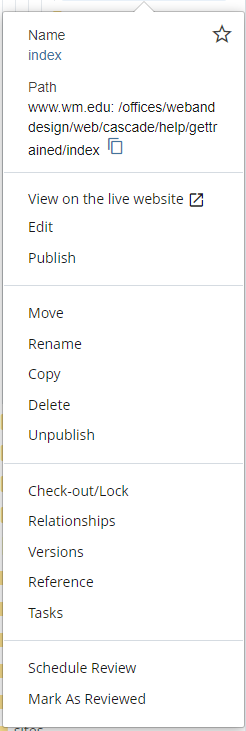
Context Menu

Get Help

If you need additional assistance, please contact your Cascade Manager. For editors outside the schools and units listed below, support is provided by University Web & Design. When requesting support, please include links to any relevant pages and/or screenshots of your issue.

Cascade Support

School & Unit Cascade Managers

  • Advancement: Submit a Request
  • Batten School & VIMS: Submit Request to Joe Caterine
  • College of Arts & Sciences: Submit Request to CAS

University Web & Design
