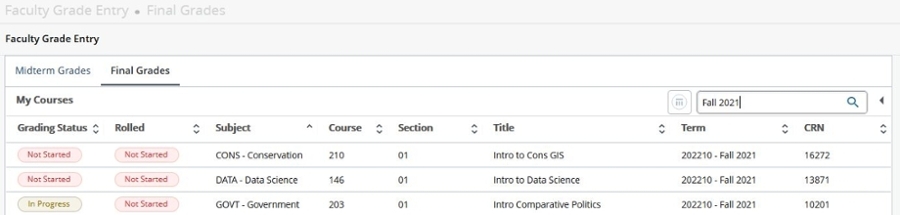
When you have entered grades in the record set displayed, select the submit button at the bottom of the page. The Final Grade page will re-display. At this time, you may wish to review and print the page for your records. Simply click on your browser's print button. If you need to make changes or corrections, do so and then re-click the submit button.
Important! When submitting grades on the first record set (1-50), the following message may display: "THE CHANGES YOU MADE WERE SAVED SUCCESSFULLY." This message will NOT display on any additional record set(s) and may not display on subsequent entries in the first record set. However, your grades have been submitted. You may confirm this by leaving the course and returning to it from the faculty menu. The grades you entered will display if they were submitted successfully.
Only 50 students display per page. For example, a class of 104 students will show the following links:
Record Sets: 1-50 | 51-100 | 100-104
- To select the next page, please click on the link(s) located at either the top or the bottom of the page.
- To select another CRN, use the CRN Selection link at the bottom of the page. After selecting the next CRN, you will be returned to the Faculty Services Menu and will need to click on Final Grades, which will display the Final Grade Worksheet for the new CRN you selected. Repeat the steps above.
- After you have submitted all grades that you wish to process, click Logout at the top right of the page to end your session. For security reasons, immediately close your browser. Congratulations! You have completed the Final Grade Entry process on Banner Self-Service.
 Skip to main content