 Skip to main content

Microsoft Multi-factor Authentication
Microsoft Multi-factor Authentication (MFA)
William & Mary's uses Microsoft's multi-factor authentication service. It provides an additional level of security to prevent unauthorized access to a variety of systems. Multi-factor authentication helps protect against increasingly sophisticated security threats, like phishing, and thwarts unauthorized use of your login credentials.
We support the following multi-factor authentication methods within Microsoft. We recommend everyone configure at least two methods. You can manage your authentication methods by going to https://aka.ms/mysecurityinfo.
- Microsoft Authenticator App
- Passkeys
- SMS codes
- Phone Calls
- Codes from other MFA Apps (eg. Duo, Google Authenticator, Okta)
Setup Microsoft Authenticator
More detailed instructions from Microsoft are also available.
| 1. Install the Microsoft Authenticator App on your mobile device (iOS | Android) | |
| 2. Go to https://aka.ms/mysecurityinfo at Microsoft. If you are a new user, once you have signed in you should be prompted to start the Microsoft multi-factor onboarding process. | 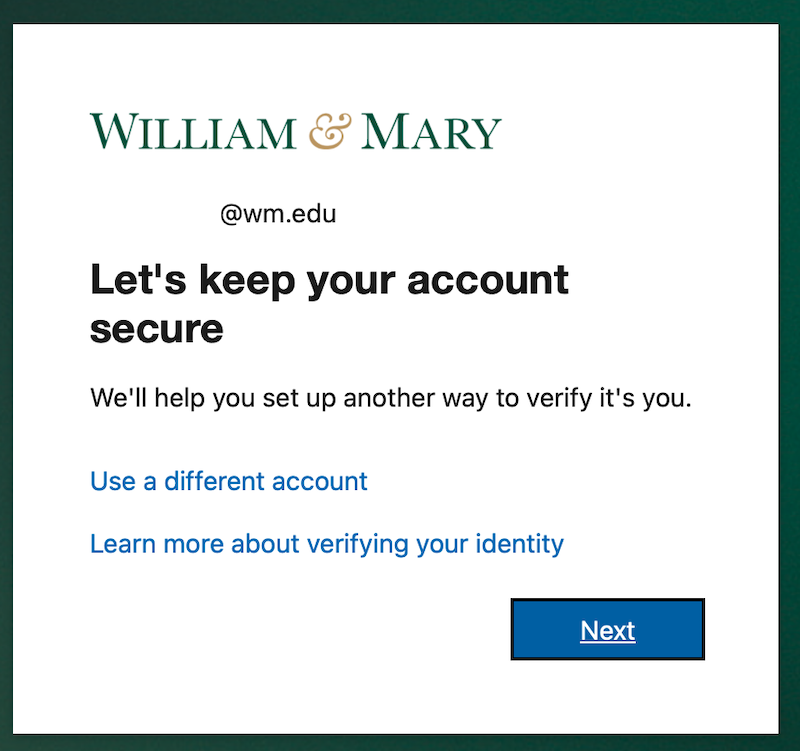 |
| 3. Once the app is installed select scan a QR code. If you have used Authenticator the + / qr code icon in the bottom right of the application. | |
| 4. Click Next | 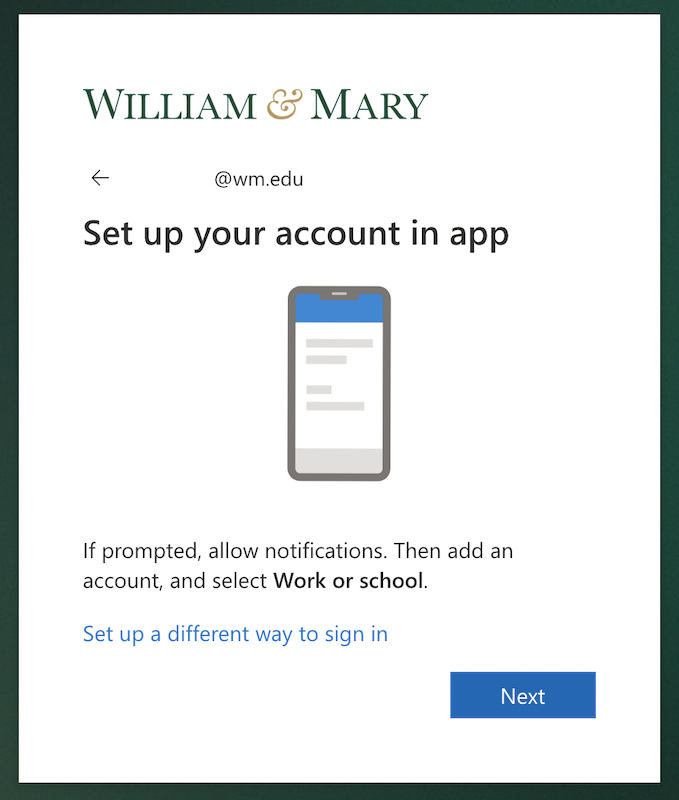 |
| 5. Scan the QR code displayed on your screen with the Authenticator App. | 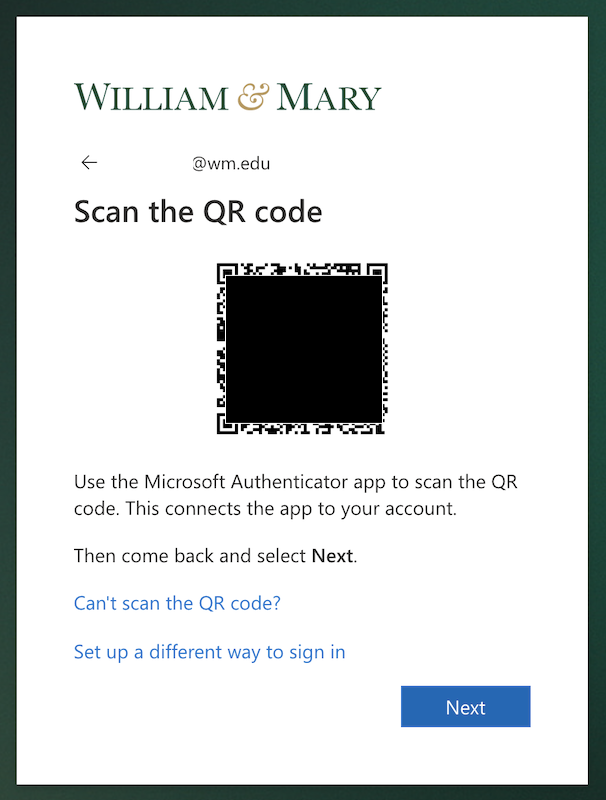 |
| 6. Once you've scanned the QR code and the account has been added to the Authenticator App you will be shown a number to verify in the Authenticator App. | 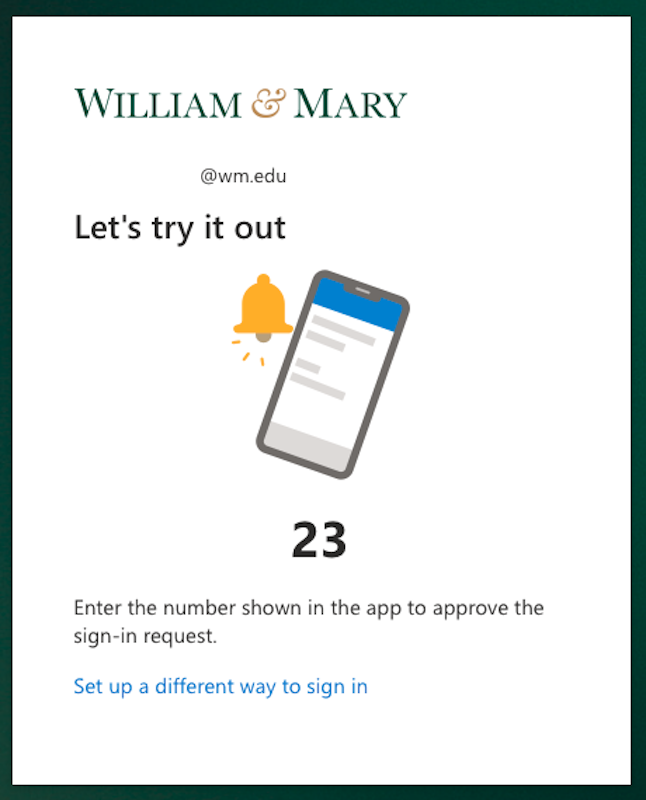 |
| 7. Success! | 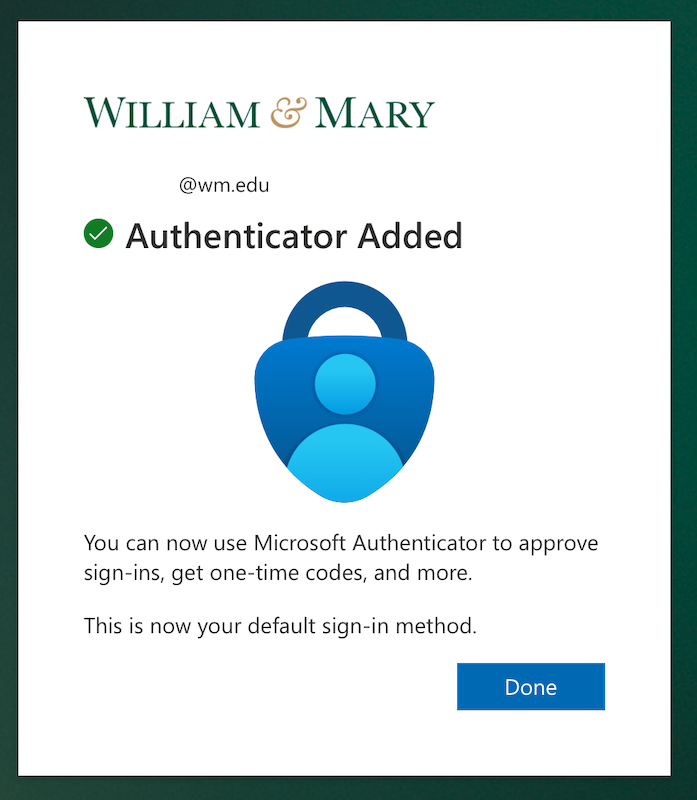 |
Setup Other Authenticator Apps
To use a different authentication app to generate codes for Authentication, go to https://aka.ms/mysecurityinfo, click on the plus to add an authentication method and select Microsoft Authenticator. Make sure to click on the "I want to use a different authenticator app" link and follow the instructions (this link might be small and easy to miss).