Skip to main content

03.28.2025, Human Ethics - Reminder to Check Your Account!
Summary
Reminder was sent to PIs to check their account to ensure that protocols are being submitted to the IRB. This update was sent via the IRB ListServ.
Full Description
There are several protocols in SPARCS Human Ethics requiring actions from research personnel before they can be reviewed by the IRB. For example, there are some protocols that may require you to "certify" as you are listed as either a Student Investigator or Co-PI on the protocol. Additional guidance on who is required to certify submissions can be found on the W&M Guidance Document page under the header, "Roles of Students on IRB Studies."
How do I find what protocol require my attention?
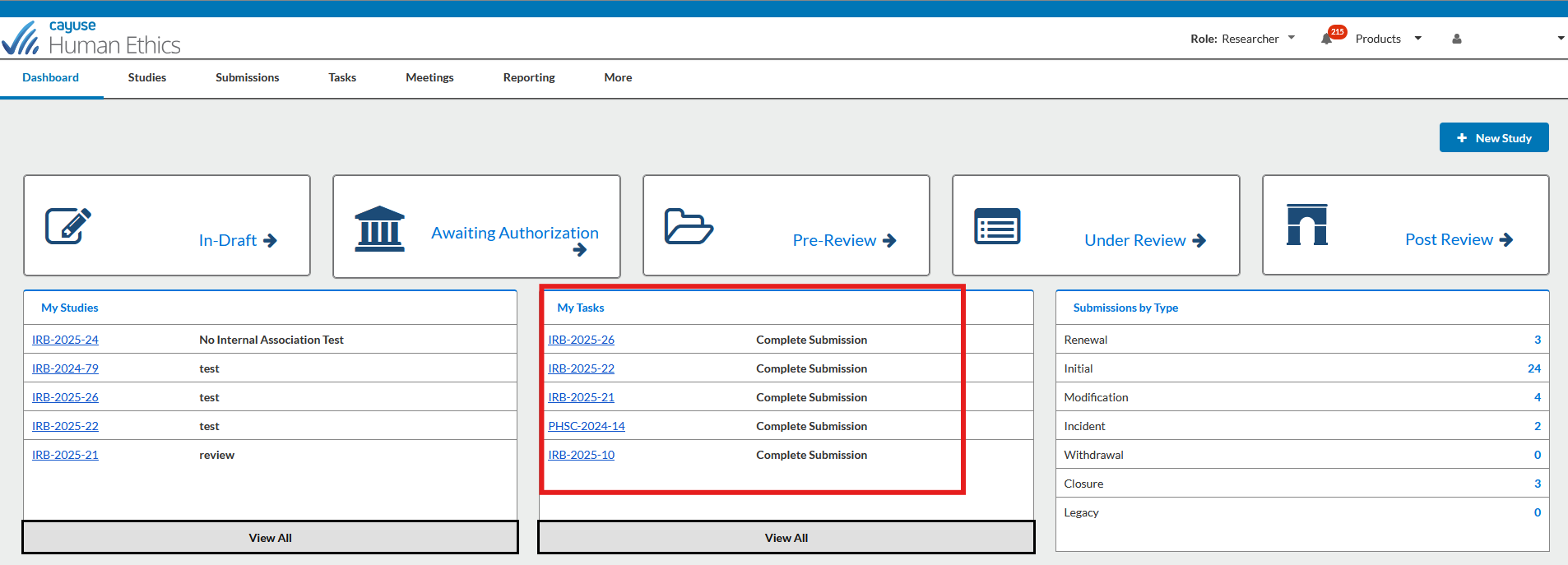
To check if there are any protocols requiring your attention, please log into your account and then select "Human Ethics" from the "Products" drop down. Any protocols requiring your attention will be listed under the "My Tasks" section of the portal. Additional help guides can be found by visiting: https://www.wm.edu/sites/sparcs/human-ethics/
- If you have noticed that your protocol has not been reviewed, please make sure to check your account and communicate with your research team to ensure that everyone has taken the necessary steps in order for the protocol to be processed.
- Alert emails will be from "do-not-reply@cayuse.com;" these alerts can be easily missed by team members if they are not aware that they will need to take action within the system.
- Before logging out the system:
- Check your the center box, "My Tasks"
- If there are no actions required on your part, the "My Tasks" box will be empty.
Can I see the status of my protocol?
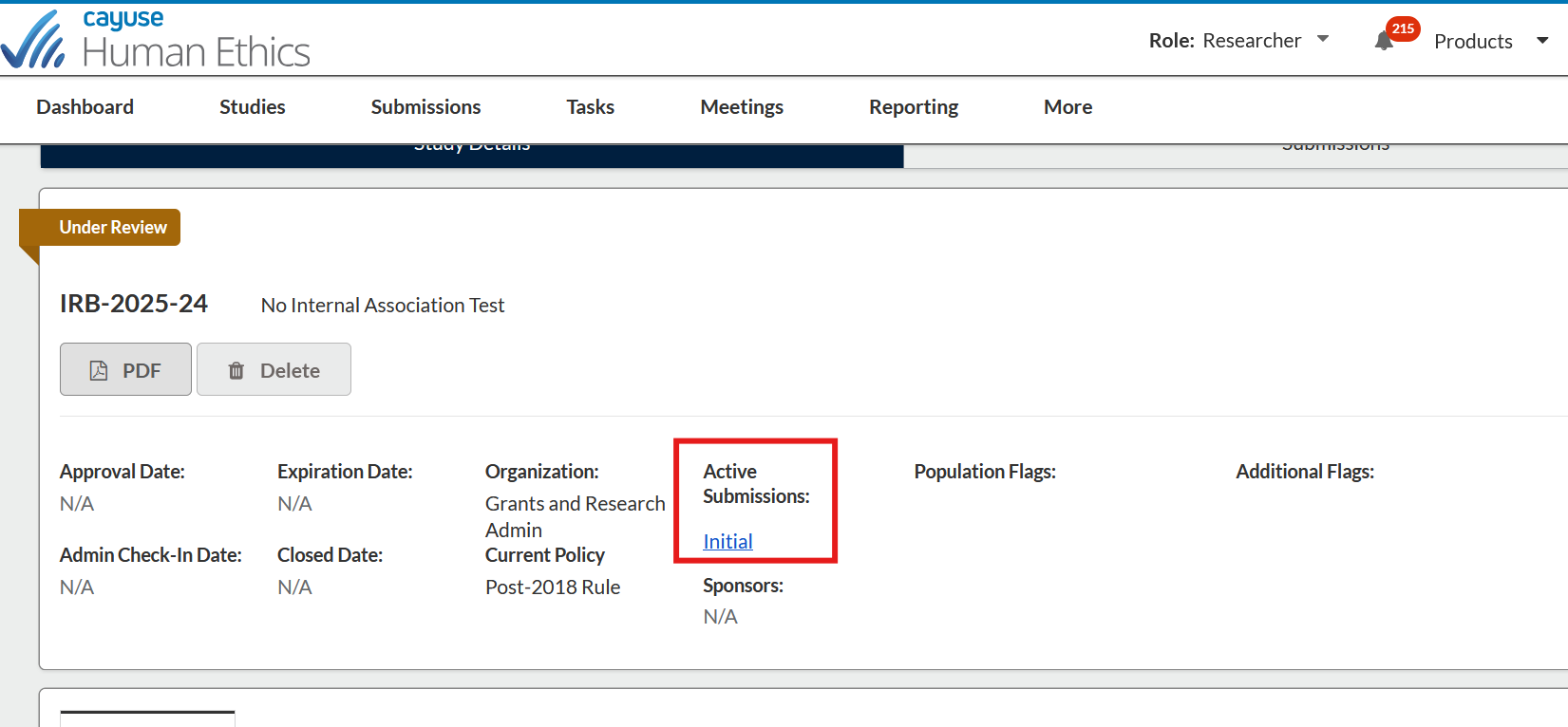
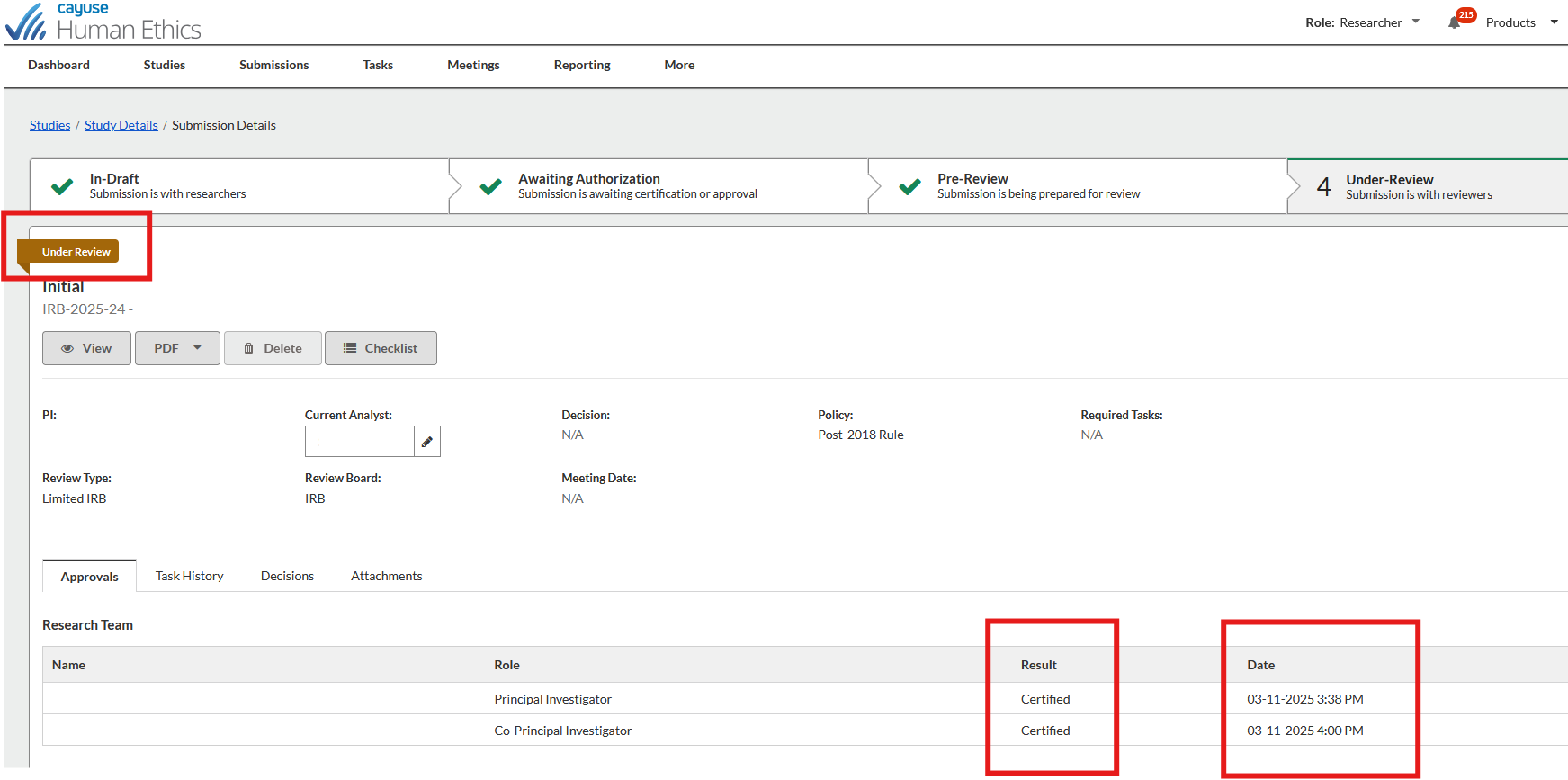
You can also check the status of your protocols by clicking on the hyperlinked protocol under "My Studies." The status of the submission can be found by clicking into the submission under, "Active Submissions." The status will be displayed in the top left corner of the protocol above the protocol number. On this page, you can also see who has certified the submission under "Research Team."