Skip to main content

Blackboard Accessibility Score
Step-by-step guide to check your course accessibility!
Blackboard Ally’s Course Accessibility Report gives you a course-level view of accessibility, so you can prioritize what to fix first. In one place, you can see your overall course accessibility score, a list of all supported files, and issues organized from more severe to more minor, including quick wins in the “easiest issues to fix” area.
Use the following steps to open your report and understand what you’re seeing
- Login to your Blackboard course.
- Open the course you want to review.
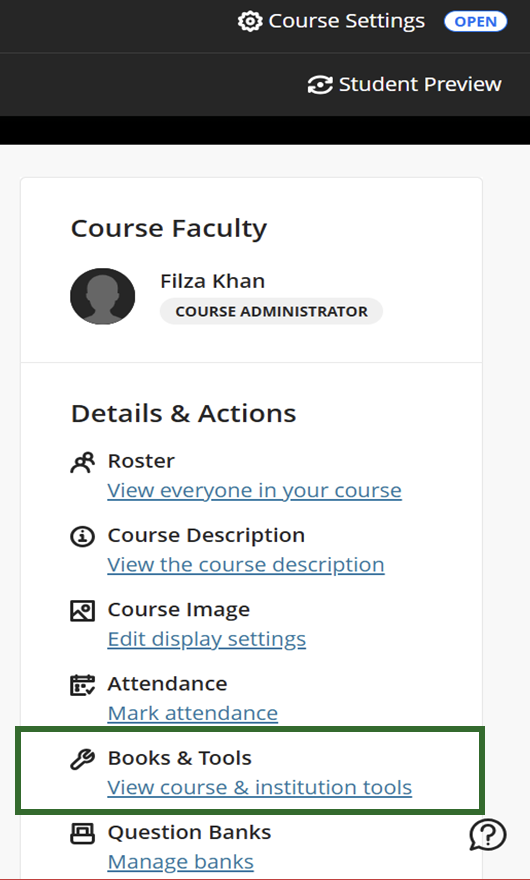
- On the right, you should see the Details & Actions panel.
- On that panel, choose view course & institution tools under Books & Tools (see Figure 1).
- This opens the Books & Tools panel, where you will see the option to open your Accessibility Report LTI 1.3 (Figure 2).
- This opens the Ally report for your course.
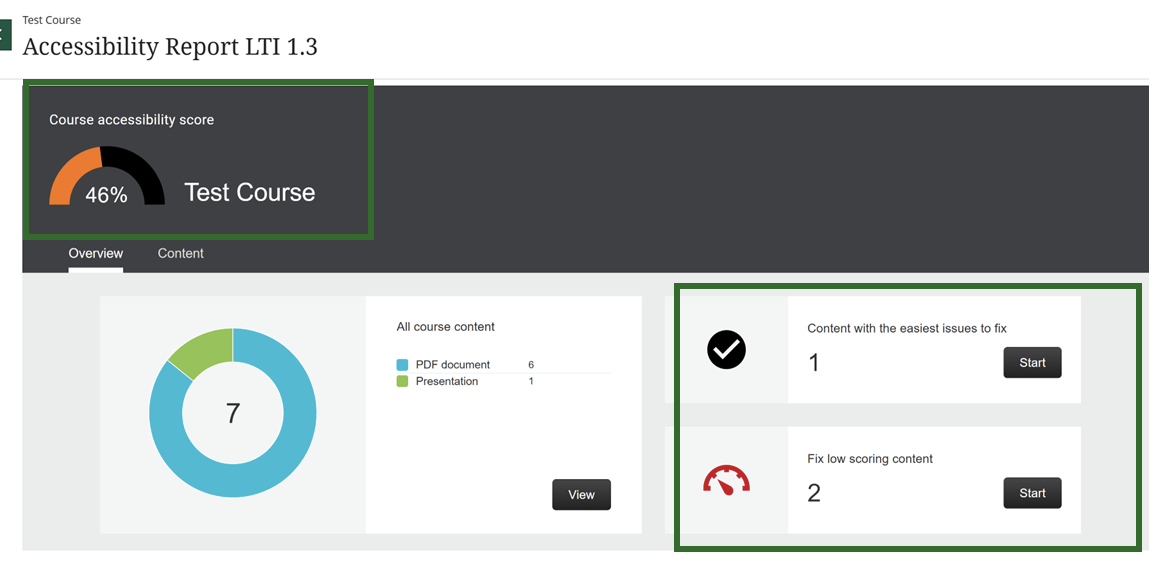
What to look for (Figure 3):- Course accessibility score (a gauge with a percentage).
- Tabs labeled Content with easiest issues to fix and fix low scoring content with a start button.
- All your files in order of severity of their issues, as well as the issue name.
- We recommend starting either file by file or issue by issue, or go under the easy fixes button and Ally will guide you step-by-step on how to fix the specific issue.
- For individual files, Ally will also give you a score with a colored gauge. You can click on the gauge to find step by step guidance as well.
- 🟢 High (67–100%)
- 🟡 Medium (34–66%)
- 🔴 Low (0–33%)
| Figure 1. Books & Tools | Figure 2. Accessibility Report |
|---|---|
 |
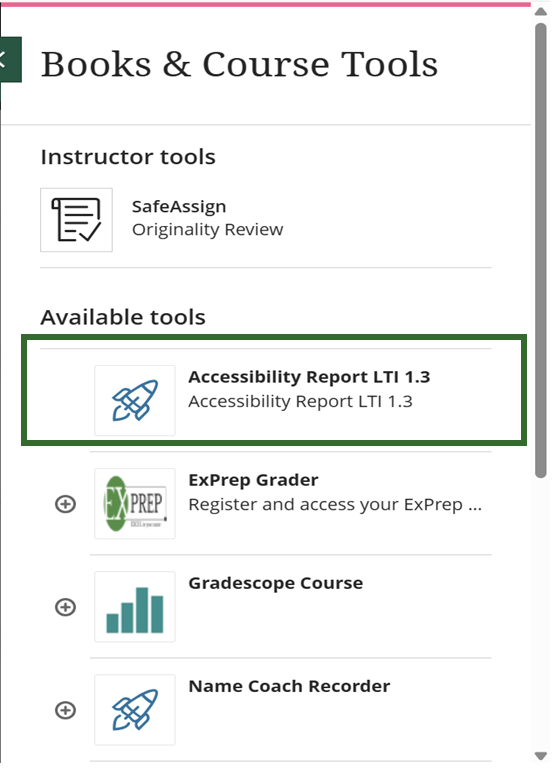 |
Figure 3. Accessibility Score |
|
 |
|
We encourage you attend IT open labs & other digital accessibility sessions to get personalized, one-on-one help by accessibility and Blackboard experts. Additionally, explore the Blackboard Resource Guide for more tips on creating an accessibility course.