Close menu William & Mary

Emma

Enterprise Newsletter Tool

The Emma newsletter tool is a new resource at William & Mary designed to help campus communicators create and share engaging, branded email newsletters.  

How to request access to Emma 

Currently available on a limited basis, Emma accounts are distributed case by case under the guidance of the Emma Governance Council, a group of communicators representing units across the university. While access is limited for now, the tool is expected to expand more broadly in the future. 

Current users of other platforms may continue to use their preferred platform as they wish. Emma is not a required tool and will not replace the use of Marketing Cloud by W&M Advancement. Examples of W&M emails produced using Emma include the Top Five Things to Know from the office of Provost Agouris, the Workday Watch, Inside Arts & Sciences and EVP Mike Todd's Quarterly newsletter

Apply to use Emma

Benefits of using Emma

Are you using a PDF format to email your newsletter to a listserv? Do you wish you had access to W&M email templates? These are some of the reasons the Emma platform may be a good fit for you.

  • Enhanced data security

    Emma at W&M uses Single Sign-On (SSO) authentication, protecting your account, audience data and analytics history. SSO also helps reduce the risk of someone without authorization accessing your account.

  • Shared internal audience lists

    W&M IT has set up a daily sync between Workday and Emma so that the audience data for faculty and staff is up-to-date.

  • Customizable templates

    W&M designers created newsletter templates available for campus communicators using Emma. The templates are fully customizable, aligned with the W&M brand and designed with digital accessibility standards in mind.

  • Access to a community of W&M email producers

    All users with an Emma account through W&M are welcome to a Teams community with shared resources and a line to support when you need to troubleshoot an issue.

How to get started

I'm in! How do I get started?

To access Emma, simply visit the W&M Emma Portal and log in using your W&M credentials. Once you’re in, please navigate to your specific subaccount to get started.  Details about your subaccount will be provided in the welcome email from IT. You will also be added to the team IT - Project: Emma Newsletter in Microsoft Teams.

Before you begin creating your first campaign, we highly encourage you to watch the Emma 101 Webinar. This brief introduction will guide you through the platform’s key features and help you get started quickly and confidently.  

Important: When sending newsletters, you must set the “send from” address to end with @newsletters.wm.edu (for example, provost@newsletters.wm.edu or workday@newsletters.wm.edu). Any messages sent from addresses not ending in newsletters.wm.edu will not be permitted. If you would like to give the ability for people to reply to your newsletter, you will need to check the box and set the “reply-to” email to an email address with an active inbox.    

Questions?

If you run into any issues while using Emma, post your questions in the General channel of the IT - Project: Emma Newsletter team in Microsoft Teams.

For further assistance, please email Information Technology at [[support]].

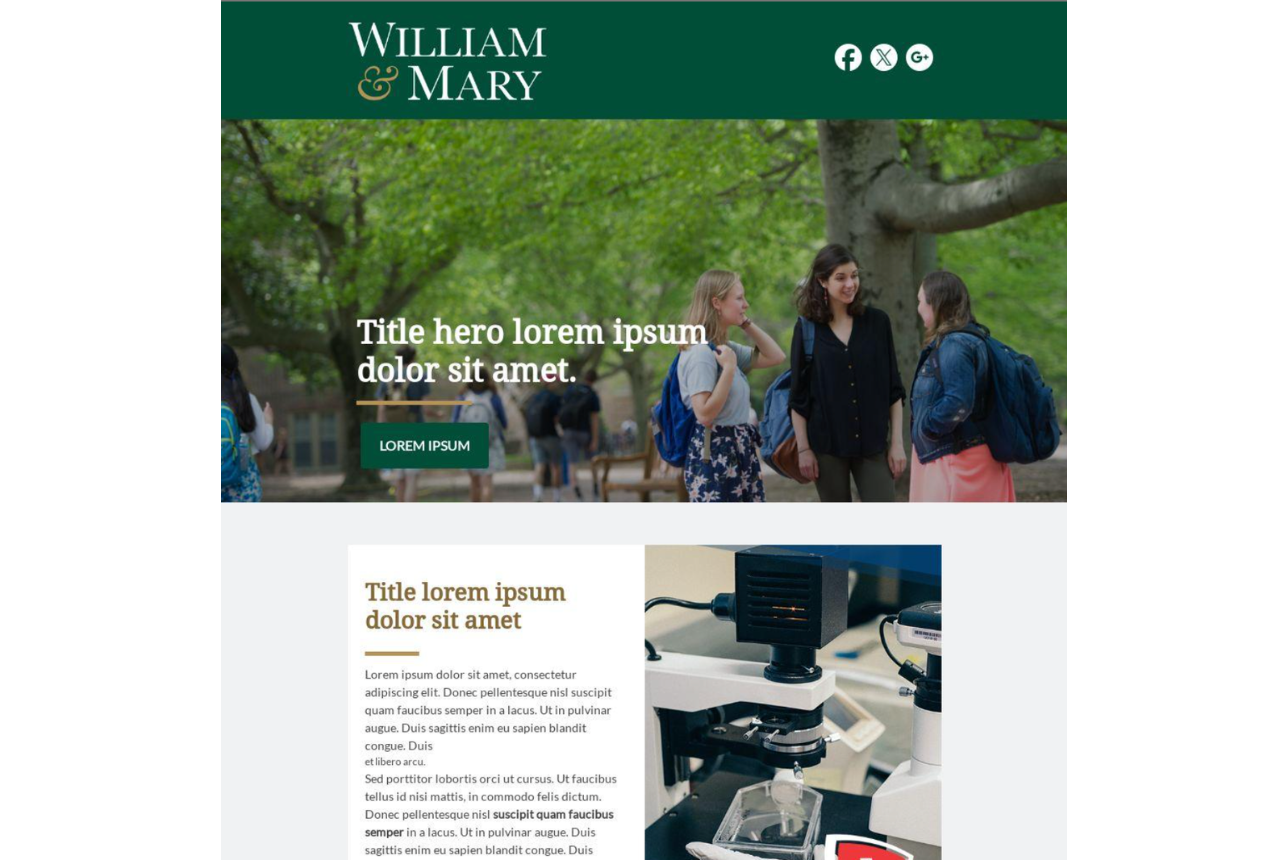
Example of one of the branded templates in Emma

Branded Templates

Branded templates in Emma are designed by the University Marketing & Communications team to help you create polished, professional emails with ease. Built with the university’s visual identity in mind, these templates ensure consistent branding across all communications. By using them, you can confidently send messages that align with William & Mary’s standards while saving time on design and formatting.

How to find the templates: 

  1. In Emma, create a new campaign. 
  2. In the template gallery, there's an option for Shared Templates under My Gallery
  3. Select one of the 12 W&M templates available to all Emma users.