

Power Settings for Computers and Devices
Recommended Power Settings for computers running the Windows and Macintosh Operating Systems and other devices:
Your electronics draw a substantial amount of energy, but making a few minor changes in how you care for your devices can significantly decrease the electricity you use and save you money on the energy bill. We've outlined steps for increasing your device's battery life as well as reducing the amount of energy you draw to your device.
Charging
The way you charge your devices is very important to their longevity. It may seem self-evident, but prolonged charging will actually harm your device's battery. Instead of leaving your device plugged in when not in use, charge your devices only until the battery hits 100%, then unplug them. Additionally, try charging your devices during the day, so they don't stay plugged in unnecessarily while you sleep.
Screen brightness
Lowering your device's screen brightness will drastically increase its battery life. The brightness can usually be adjusted very easily on a Windows or OS X device by using the function keys in the top row.
On iOS devices select Settings>Display & Brightness. On Android devices select Settings>Display>Brightness. On Windows mobile devices select Settings>Brightness. All three operating systems will use a slider to adjust the brightness. When in your device's display settings, also consider shortening the idle screen timeout.
The default setting for desktop computers and notebooks running on A/C power should be: the computer and monitor enter sleep mode after one hour of inactivity. Notebooks should be set for 15 minutes when running on battery to prolong battery life. (You may set your computer to a shorter time to conserve more energy.) Check or adjust your settings as follows:
Windows 7, 8, & 10:
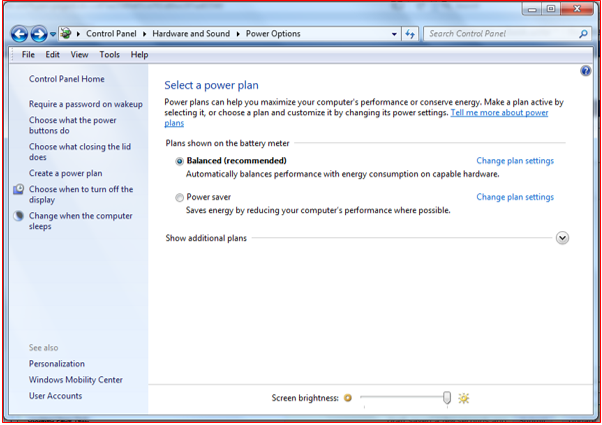
Open the Control Panel and select Hardware and Sound
Click on Power Options
Choose "Change plan settings" under the selected "Balanced" plan
Verify "Turn off display" is set to 1 hour
Verify put the computer to sleep is set to 1 hour
(If you are using remote desktop from home on your office Windows computer, you should not set your computer to enter sleep mode. The monitor can still be set for sleep mode but remember to turn off your monitor when you leave for the day.)
Choose save changes if you made any and close the control panel
Macintosh OS X:
Choose System Preferences from the Apple Menu
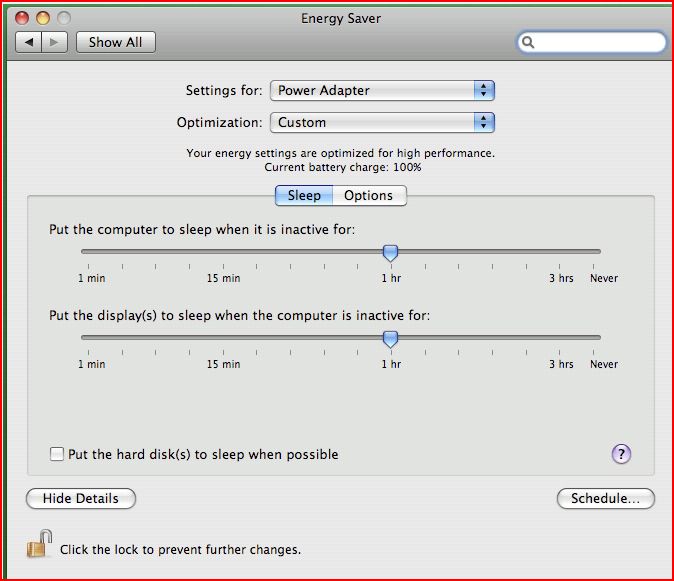
Select Energy Saver
If a notebook choose Power Adapter or Battery from the "Settings for" dropdown
Adjust the setting using the slider